
Opened 16 years ago
Closed 6 years ago
#15626 closed defect (fixed)
cairo @1.6.4_1+macosx with quartz-font support: does not render non-latin characters
| Reported by: | takanori@… | Owned by: | ryandesign (Ryan Carsten Schmidt) |
|---|---|---|---|
| Priority: | Normal | Milestone: | |
| Component: | ports | Version: | 1.6.0 |
| Keywords: | Cc: | alexander@…, maidaro@… | |
| Port: | cairo |
Description
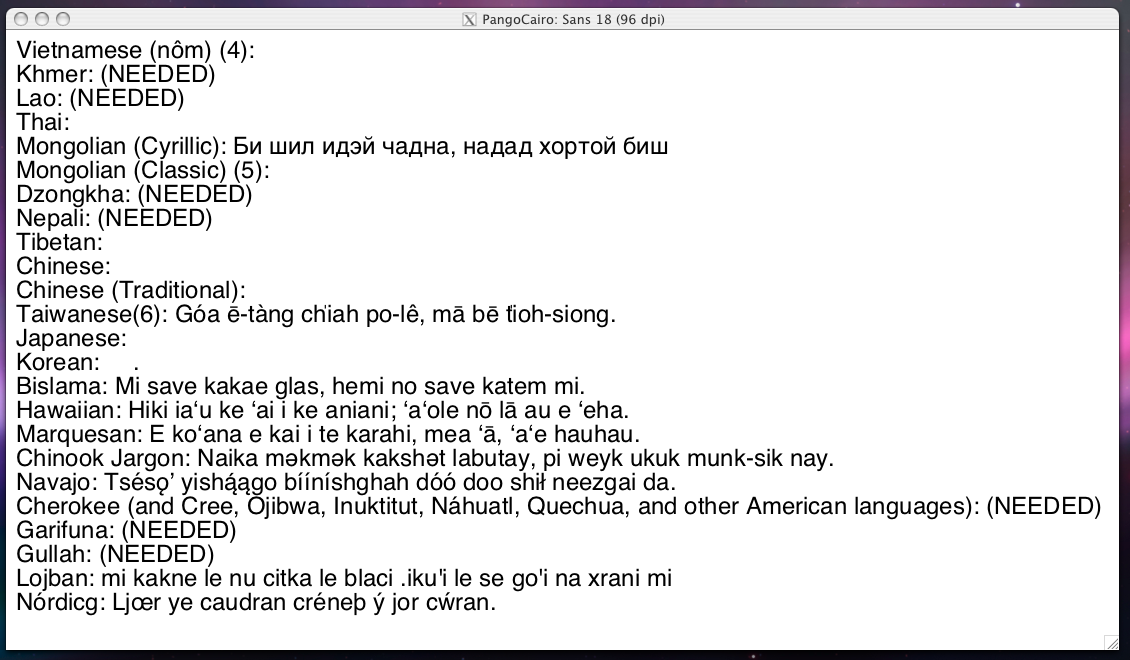
quartz-font backend in cairo 1.6.4 might have a bug. It does not render non-latin characters properly.
I guess there might be a flaw in its default font selection mechanism or something.
Ryan, would you please take a look? This is very serious problem since it affects all of gtk2 applications. Thanks.
How to reproduce:
1) Install cairo and pango from scratch.
$ sudo port install cairo pango

$ port installed
The following ports are currently installed:
  cairo @1.6.4_1+macosx (active)
  expat @2.0.1_0 (active)
  fontconfig @2.6.0_0+macosx (active)
  freetype @2.3.6_0 (active)
  gettext @0.17_3 (active)
  glib2 @2.16.3_0+darwin_9 (active)
  gperf @3.0.3_0 (active)
  libiconv @1.12_0 (active)
  libpixman @0.10.0_0 (active)
  libpng @1.2.29_0 (active)
  ncurses @5.6_0 (active)
  ncursesw @5.6_1 (active)
  pango @1.20.3_0 (active)
  pkgconfig @0.23_0 (active)
  render @0.9_1 (active)
  Xft2 @2.1.12_0 (active)
  xorg-util-macros @1.1.5_0 (active)
  xorg-xproto @7.0.11_1 (active)
  xrender @0.9.0_2 (active)
  zlib @1.2.3_1 (active)
After installing pango, run the below command to check whether these ports can render unicode text or not.
$ pango-view --backend=cairo ~/Desktop/utf8.txt

 (Result: picture1.png [NG])
2) Next, simply remove '${prefix}/lib/pkgconfig/cairo-quartz-font.pc'
$ sudo rm /opt/local/lib/pkgconfig/cairo-quartz-font.pc
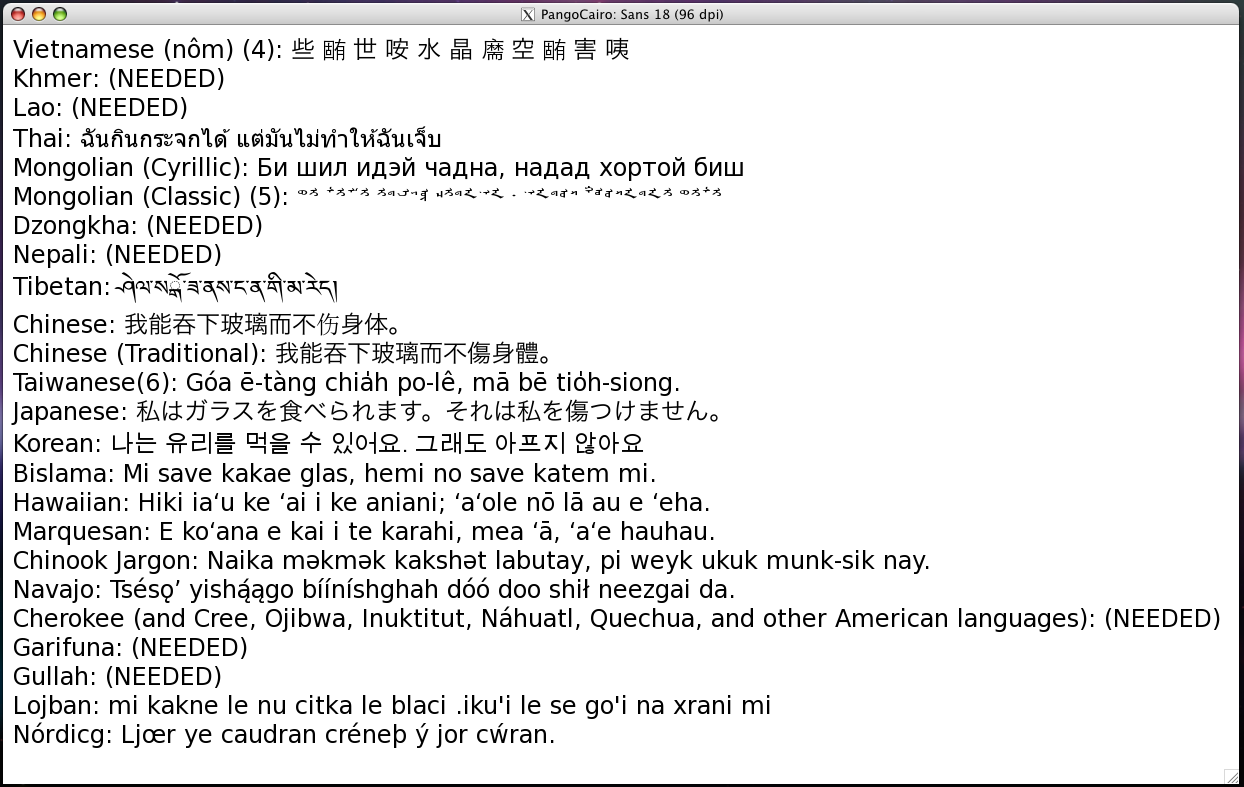
and then rebuild pango. Due to this operation, pango will be built without cairo-quartz-font support.
$ sudo port uninstall -f pango
$ sudo port install pango
After installing pango, please run pango-view again.
$ pango-view --backend=cairo ~/Desktop/utf8.txt

 (Result: picture2.png [OK])
That's it.
Attachments (3)


Change History (15)
Changed 16 years ago by takanori@…
| Attachment: | picture1.png added |
|---|
Changed 16 years ago by takanori@…
| Attachment: | picture2.png added |
|---|
Changed 16 years ago by takanori@…
comment:1 Changed 16 years ago by ryandesign (Ryan Carsten Schmidt)
| Status: | new → assigned |
|---|
comment:2 Changed 16 years ago by ryandesign (Ryan Carsten Schmidt)
I asked the pango mailing list first.
The versions I'm using are cairo @1.6.4_1+macosx and pango @1.20.5_0.
comment:3 Changed 16 years ago by ryandesign (Ryan Carsten Schmidt)
Nobody responded to my message on the pango list. I also asked the cairo list on July 6 and nobody answered there either. I asked the pango list again just now.
comment:4 Changed 15 years ago by ryandesign (Ryan Carsten Schmidt)
As of r47716 Quartz support is off by default in cairo and pango so that is at least a solution that can be used until someone figures out how to make things work again with Quartz.
comment:5 Changed 15 years ago by takanori@…
| Resolution: | → fixed |
|---|---|
| Status: | assigned → closed |
comment:6 follow-up: 8 Changed 15 years ago by ryandesign (Ryan Carsten Schmidt)
| Port: | cairo added |
|---|
But the problem still remains if you use the +quartz variant, doesn't it?
comment:8 Changed 14 years ago by alexander@…
| Resolution: | fixed |
|---|---|
| Status: | closed → reopened |
Replying to ryandesign@…:
As of r47716 Quartz support is off by default in cairo and pango so that is at least a solution that can be used until someone figures out how to make things work again with Quartz.
Replying to ryandesign@…:
But the problem still remains if you use the +quartz variant, doesn't it?
Re-opening because the Unicode text rendering is still broken when using the +quartz variant.
comment:11 Changed 6 years ago by dgilman (David Gilman)
comment:8 says that Unicode text rendering is broken in the +quartz variant of cairo. The current 1.14.12 version of cairo shipped by MacPorts has +quartz enabled by default. I was able to test this version with the attached utf8.txt and can confirm that the text rendering worked correctly. I believe this issue can be closed.
comment:12 Changed 6 years ago by ryandesign (Ryan Carsten Schmidt)
| Resolution: | → fixed |
|---|---|
| Status: | reopened → closed |
Ok thanks.
I can confirm this issue, on Mac OS X 10.4.11 Intel with Xcode 2.5 and MacPorts trunk @38022. (I get a slightly different result than you without cairo-quartz-font.pc -- some characters that are drawn correctly in your image are not in mine. Maybe the fonts that come with Leopard are improved from the ones in Tiger.) I am not sure whether this is pango's bug or cairo's bug, but I will bring it up on their mailing lists.