
How to setup MySQL Workbench to work with MacPorts
- Audience: Intermediate Users
- Requires: MacPorts >=1.9.2
- Created: 23/06-2011
- Revised: 24/06-2011 - modified install intructions
- Author: Bjarne D Mathiesen (macintosh _at_ mathiesen _dot_ info)
!!! NOTE !!!
I'm custom-installing MacPorts in /macports instead of /opt/local
So, whenever you see /macports/... in a dialog-box,
you'll have to substitute with /opt/local/...
Introduction
MySQL Workbench is a nice and advanced GUI frontend to administer MySQL databases. It's basically a GUI frontend to the mysql client and as such is similiar to the phpMyAdmin web-frontend .
The MySQL Workbench program make some assumptions as to where files are under Mac OS X - specifically the program assumes that MySQL has been installed from the *.dmg downloaded from MySQL.
This tutorial shows how to modify the default setting to get it to recognize the MacPorts install of MySQL5 as well as giving a very basic introduction in setting up a basic configuration that the postfixadmin port can use.
Many web-interfaces / web-services require a basic setup in the MySQL database in order to do their own configuration stuff.
Installation
Step 1: Install and configure the mysql5 port
port install mysql5-server                          # install mysql5 from macports
cd /private/tmp                                     # the following command is executed as the _mysql user
                                                    # + so we'll have to be somewhere in the file system where
                                                    # + the _mysql user has write access
mysql_install_db5 --user=_mysql                     # install the default databases
port load mysql5                                    # start the mysqld server
ps -axj | grep mysql                                # check that the mysql server is running
/macports/lib/mysql5/bin/mysql_secure_installation  # secure the default installation
echo '[mysqld]' >> /macports/etc/mysql5/my.cnf      # create a very basic configuration file for mysql(d)
chown _mysql:_mysql /macports/etc/mysql5/my.cnf
chmod 664 /macports/etc/mysql5/my.cnf               # I'ld have preferred 660, but that conflicts with letting
                                                    # MySQL Workbench read the file as the current user
The following are the questions asked by mysql_secure_installation and the appropriate answers
Enter current password for root (enter for none):   # just hit [enter] as the database is new
Set root password? [Y/n] Y                          # we do want the root user to have a password
New password:                                       # enter at very secure password
Re-enter new password:
Remove anonymous users? [Y/n] Y                     # anonymous users are not wanted !
Disallow root login remotely? [Y/n] Y               # root can only log in from localhost
Remove test database and access to it? [Y/n] Y      # we have no need for a test database
Reload privilege tables now? [Y/n] Y                # make sure the above settings are applied
Configuration
Step 1: Install MySQL Workbench
Download and install the MySQL Workbench program from MySQL Workbench
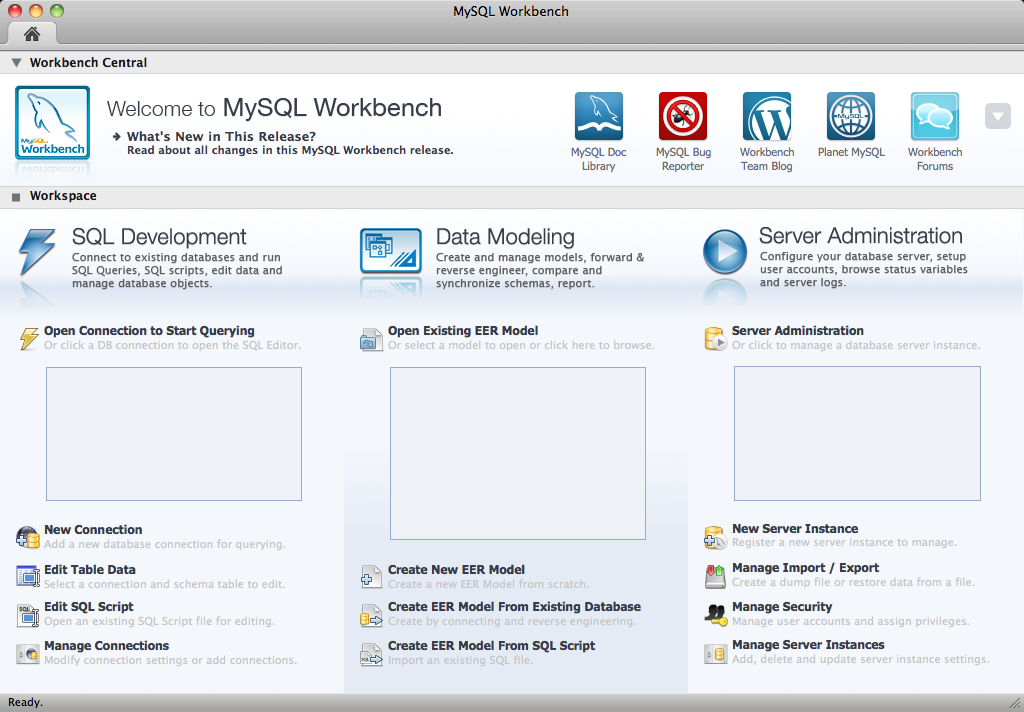
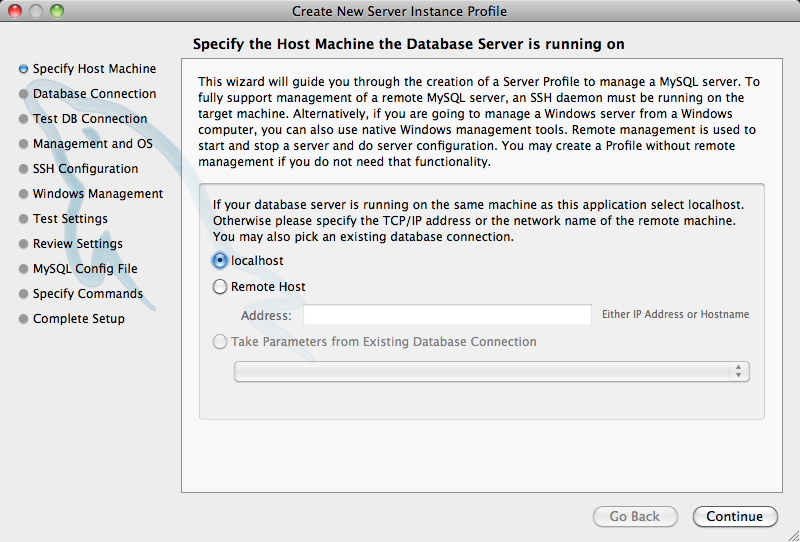
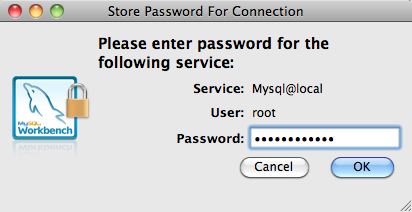
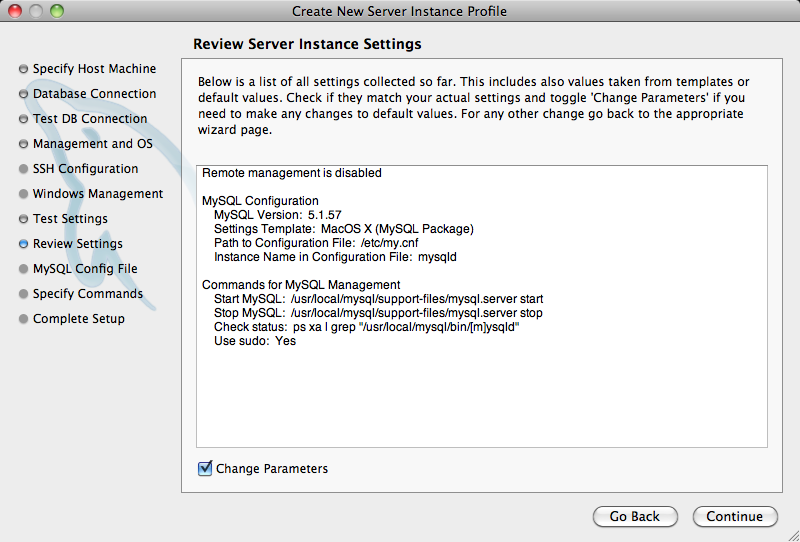
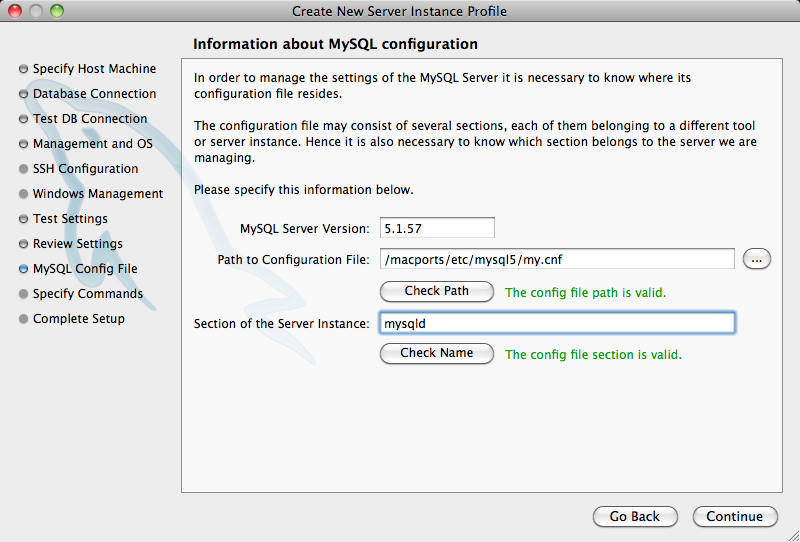
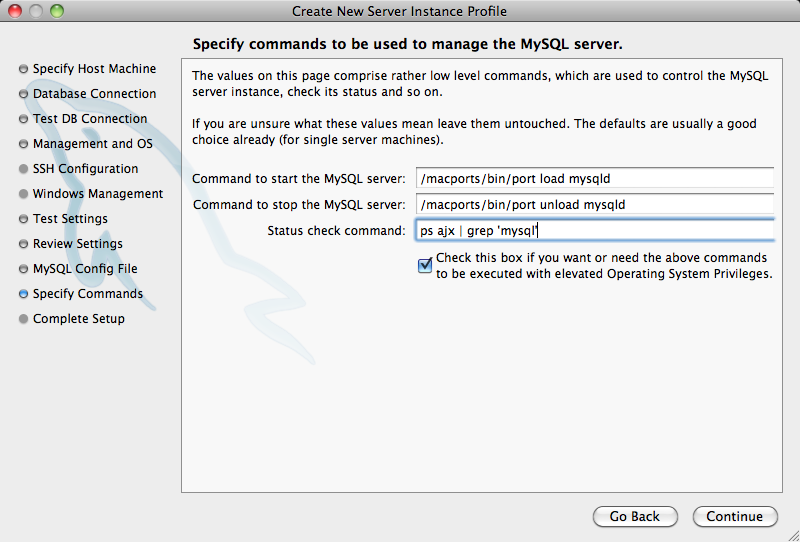
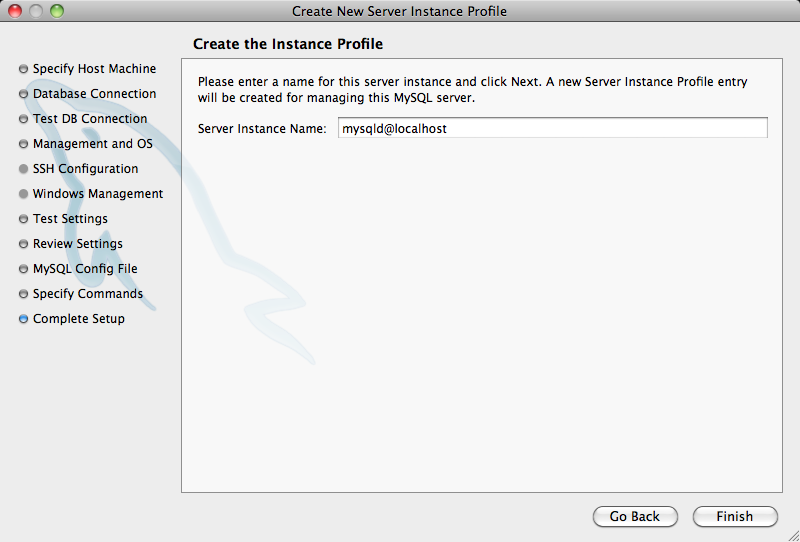
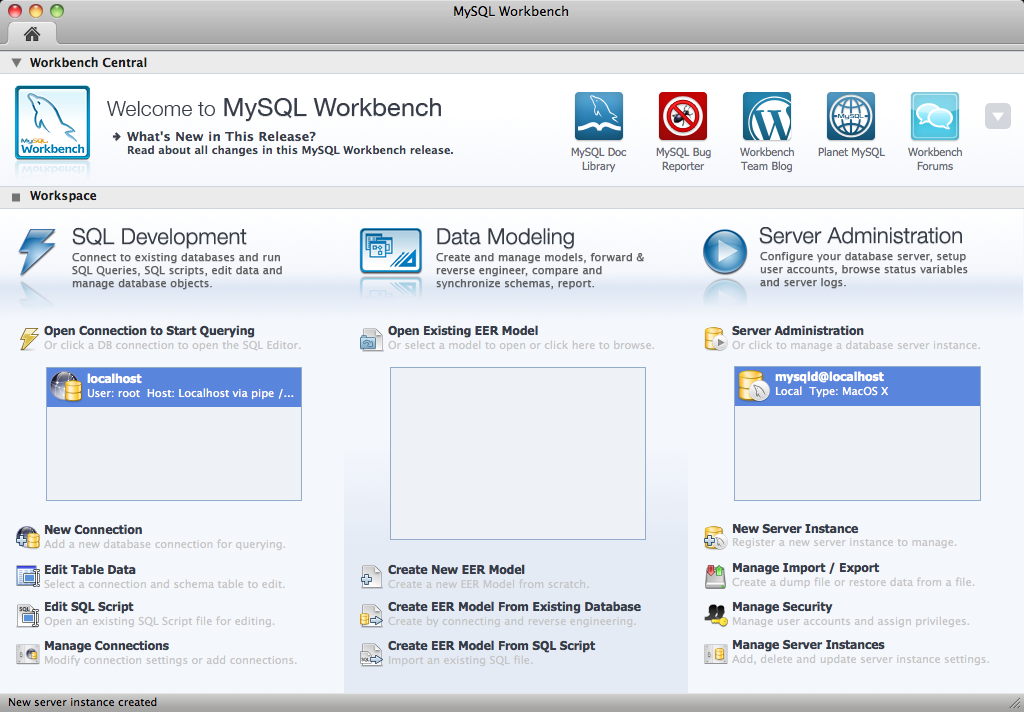
Step 2: Modify the default settings in MySQL WorkBench


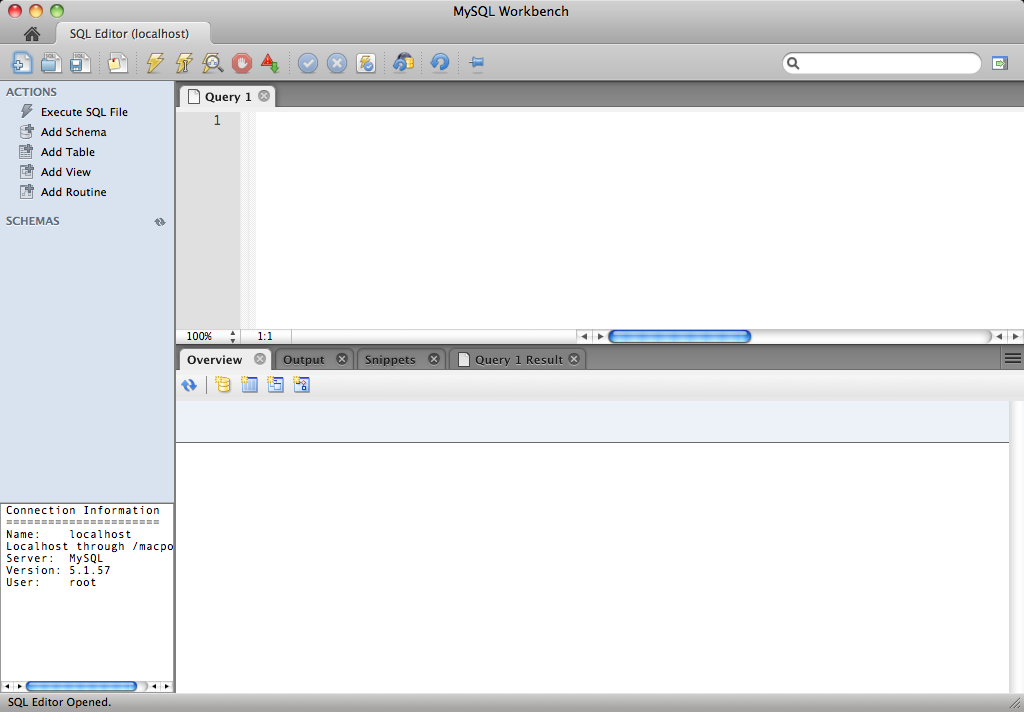
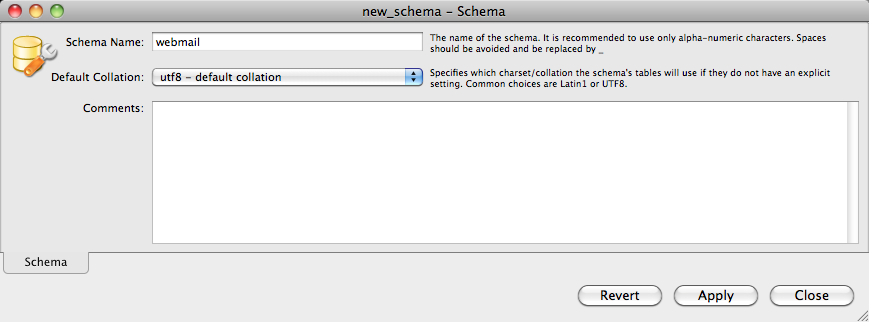
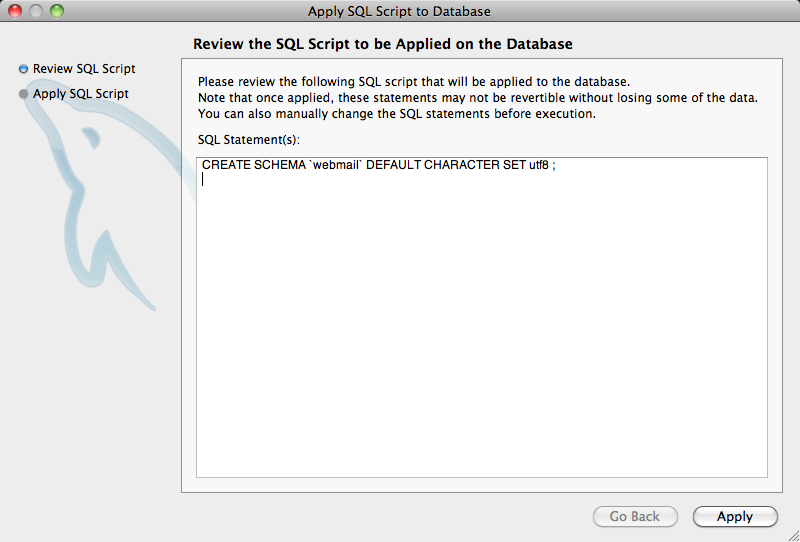
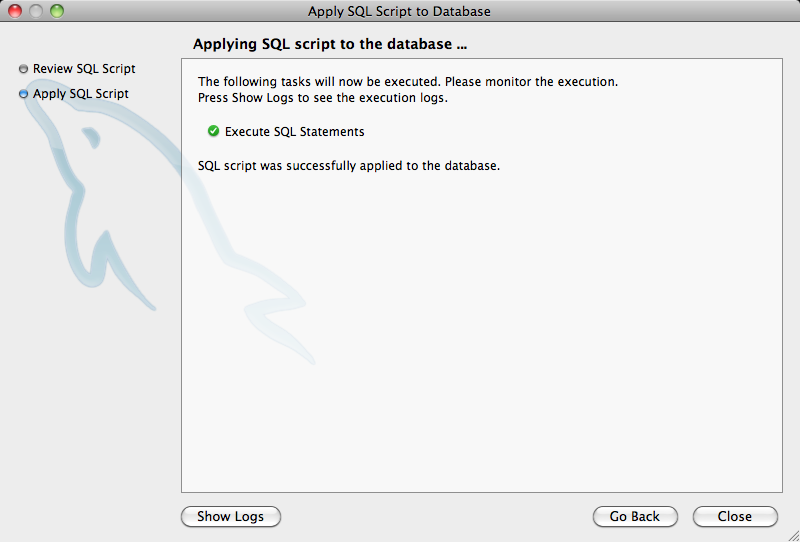
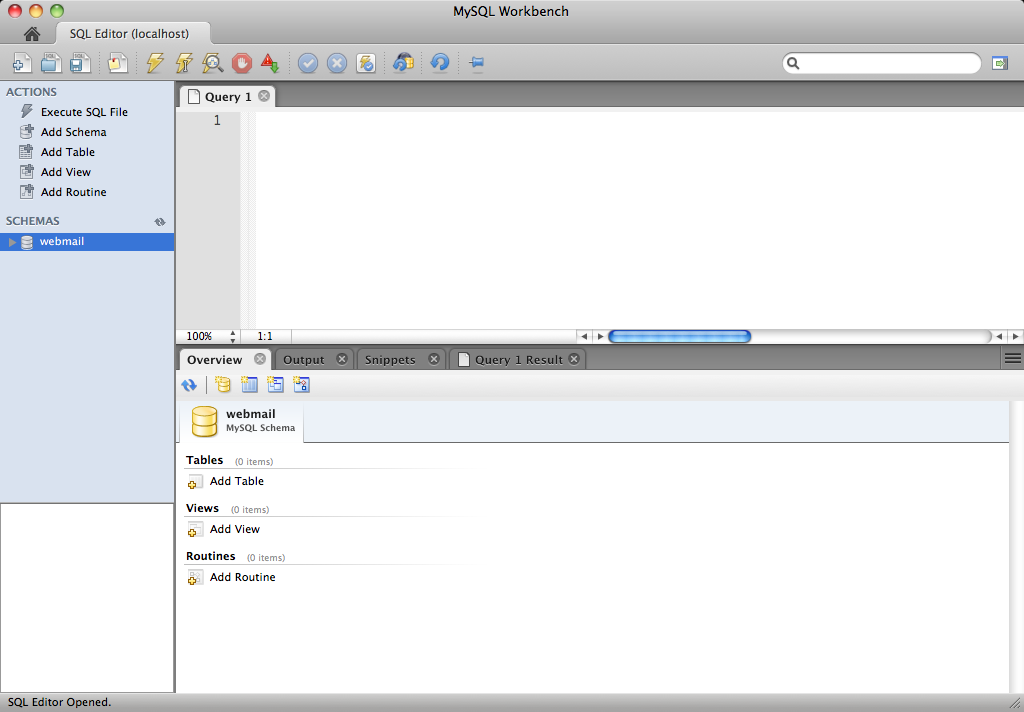
Step 3: Create a database / schema


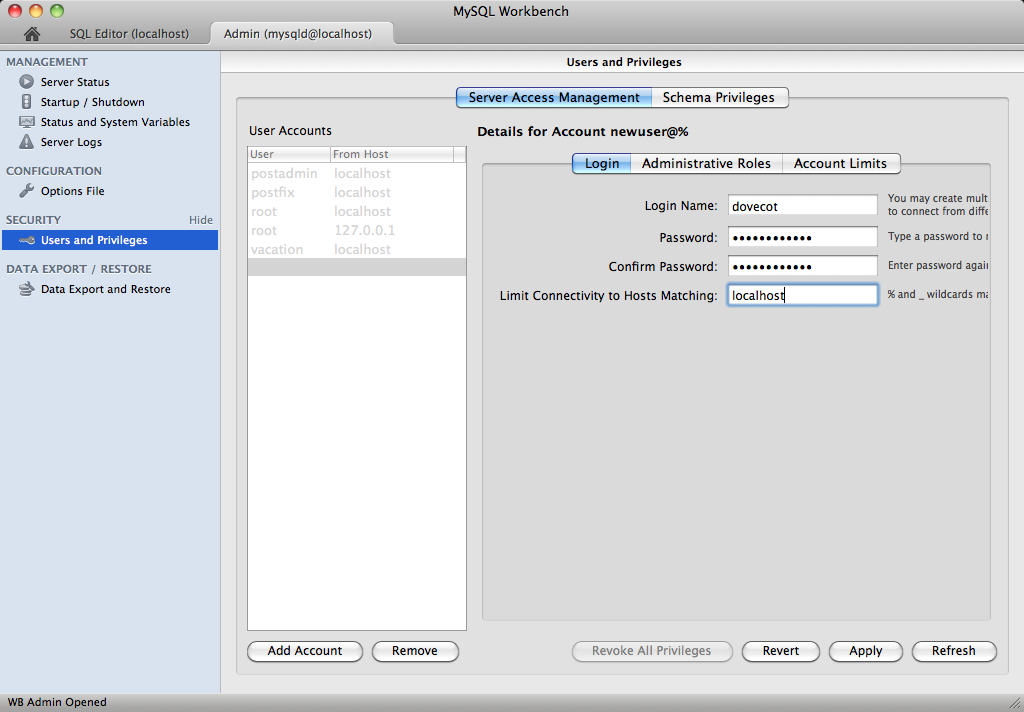
Step 4: Add some Users


Optional Parts
TODO: What else can be done?
Attachments (19)
- MySQLWorkbench001.png (204.3 KB) - added by BjarneDMat 13 years ago.
- MySQLWorkbench002.png (115.8 KB) - added by BjarneDMat 13 years ago.
- MySQLWorkbench003.png (95.3 KB) - added by BjarneDMat 13 years ago.
- MySQLWorkbench004.png (27.0 KB) - added by BjarneDMat 13 years ago.
- MySQLWorkbench005.png (93.8 KB) - added by BjarneDMat 13 years ago.
- MySQLWorkbench006.png (90.8 KB) - added by BjarneDMat 13 years ago.
- MySQLWorkbench007.png (83.4 KB) - added by BjarneDMat 13 years ago.
- MySQLWorkbench008.png (100.9 KB) - added by BjarneDMat 13 years ago.
- MySQLWorkbench009.png (101.4 KB) - added by BjarneDMat 13 years ago.
- MySQLWorkbench010.png (103.4 KB) - added by BjarneDMat 13 years ago.
- MySQLWorkbench011.png (69.5 KB) - added by BjarneDMat 13 years ago.
- MySQLWorkbench012.png (217.1 KB) - added by BjarneDMat 13 years ago.
- MySQLWorkbench013.png (69.8 KB) - added by BjarneDMat 13 years ago.
- MySQLWorkbench014.png (33.3 KB) - added by BjarneDMat 13 years ago.
- MySQLWorkbench015.png (57.6 KB) - added by BjarneDMat 13 years ago.
- MySQLWorkbench016.png (56.3 KB) - added by BjarneDMat 13 years ago.
- MySQLWorkbench017.png (73.6 KB) - added by BjarneDMat 13 years ago.
- MySQLWorkbench018.png (91.9 KB) - added by BjarneDMat 13 years ago.
- MySQLWorkbench019.png (99.6 KB) - added by BjarneDMat 13 years ago.




Download all attachments as: .zip